













Time tracking, leave and attendance in one system.

Assign working time to projects, record attendance and breaks, and manage leave. PDF time reports and CSV HR exports support monthly reporting and payroll preparation.

Use all Pro features for free until June 1, 2027. No credit card.

Cartoon illustration of Minutezilla project time tracking with a timer and daily overview.

Concept illustration. Follow the actual workflow below.

Your first project time entry

  1. Choose the project and client, and describe the task.
  2. Start the timer when work begins and stop it when finished. Add a manual entry if needed.
  3. Review the reporting period and download a PDF time report. Attendance and leave are managed separately.

In brief: Minutezilla keeps working hours, attendance and leave in one place. Your team clocks in from the browser, requests time off in the same tool, and overtime is calculated automatically – no installation needed. Built for teams in Germany and free until June 1, 2027.

It's that simple

Ready in 3 steps

No setup project, no training – your team tracks time today.

  1. Step 1.

    Create an account

    Sign up for free – no credit card and no installation.

  2. Step 2.

    Invite your team

    Invite colleagues by email and assign roles.

  3. Step 3.

    Track time

    With the timer or the time clock – reports are created automatically.

Start for free now
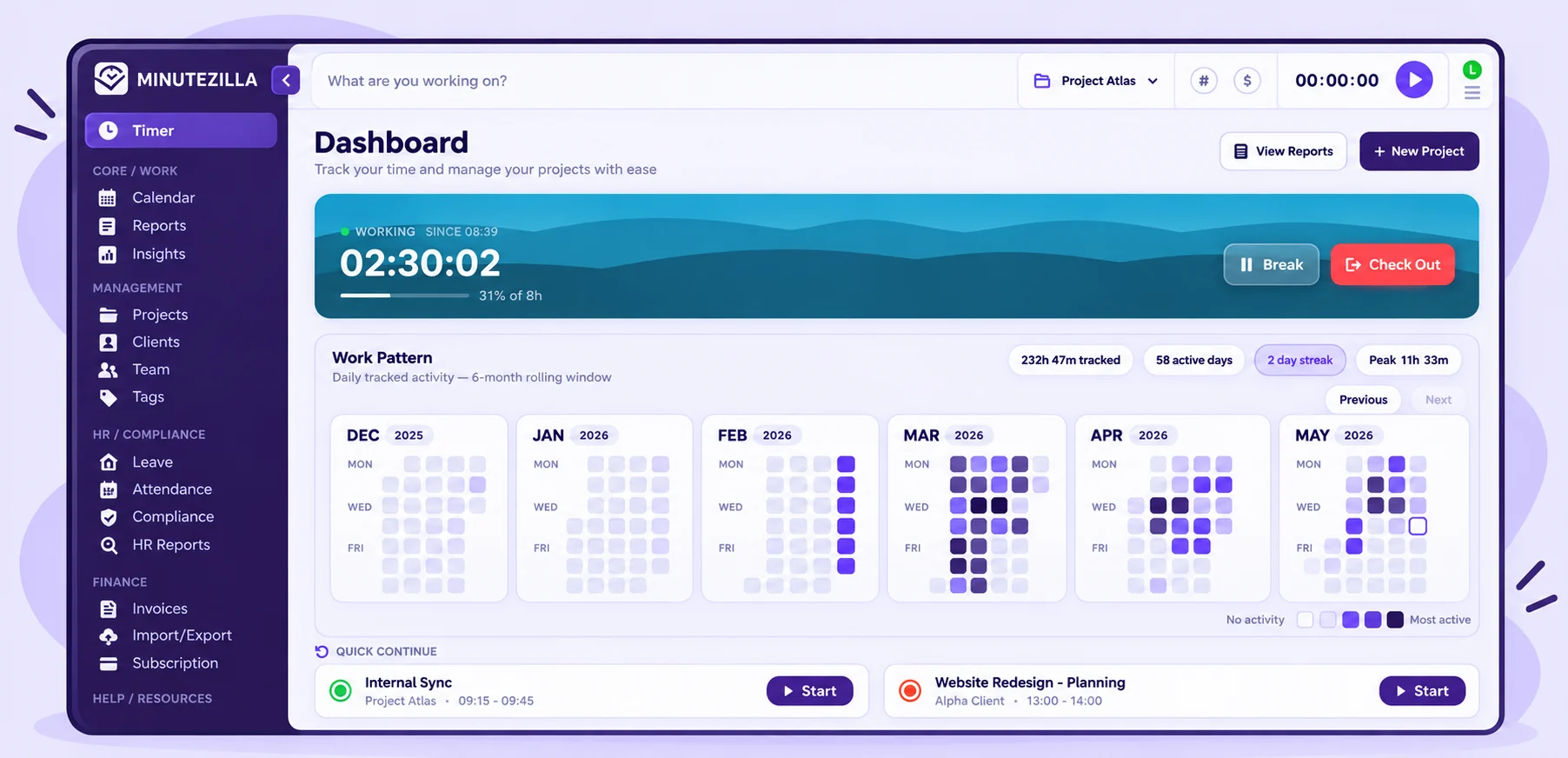
Timer with project & tags One click or Ctrl + Space starts the timer – every minute lands on the right project.
Idle detection After 10 minutes without activity, Minutezilla asks: keep or discard the time. Timesheets stay honest.
Daily goal in view A progress bar shows how many hours you have logged today – and what is still missing.

Allocate time to projects as you work

A small trades team starts the timer for the current job, such as an installation for a client. Each entry gets a task description and is assigned to its project and client. Continue recurring tasks from recent entries with one click.


Check-in & check-out Record the start and end of work in one click – no spreadsheet, no time clock.
Record breaks Breaks are logged separately, so working time and break time stay cleanly apart.
Automatic overtime At check-out, Minutezilla calculates daily and weekly overtime itself – no recalculating at month end.

Review attendance and recorded breaks

Employees clock in from the browser, record breaks and clock out at the end of the day. Managers review missing entries and flags for insufficient recorded break time. The software checks the documented duration; it cannot establish whether a break was actually taken.


PDF time reports Summarise and review project time.
CSV HR exports Review attendance, leave and overtime.
Payroll preparation Agree required fields with your payroll provider.

Prepare the monthly close

At month-end, an SME reviews project time and downloads time reports as PDF. HR reports export attendance, leave and overtime as CSV. Before handing data to payroll, check the period, completeness and required fields with your payroll provider.


Leave types & balances Everyone sees their remaining leave themselves – no more asking HR.
Request & approval Requests are made in the app and approved in one click – with a notification for every decision.
Roles & permissions Admin, manager and member: each role sees exactly what it needs for its job.

Onboard new employees

A small business invites new employees and assigns the appropriate Admin, Manager or Member role. Walk through a first time entry, check-in and leave request together. Establish who approves requests and who can access each type of data.

Review and organise working time clearly with Minutezilla.

Timer & entries

Track working time directly or add it cleanly afterwards.

Time clock

Keep track of attendance, breaks and daily status.

Leave management

Requests, allowances and approvals in one place.

Team roles

Organise admins, managers and employees clearly.

Reports

Prepare time data quickly for the next report.

PDF & CSV export

Time reports as PDF, HR reports as CSV – share, archive or review data easily.

Start simple. Grow flexibly later.

Use all Pro features for free until June 1, 2027.

Start with all Pro features for free

Use all Pro features for free until June 1, 2027. No credit card.

Start for free
View planned pricing from June 1, 2027

Planned pricing from June 1, 2027.

Free

Planned entry plan for individuals after the launch phase.

€0
forever
Sign up for free now

No payment details required until June 1, 2027.

Included features:
1 user
Up to 3 projects
Basic reports
Timer & manual entries

Pro

Planned plan for growing teams after the launch phase.

€6
per user / month
Start Pro for free

No payment details required until June 1, 2027.

Everything in Free, plus:
Unlimited projects & clients
HR module: attendance & leave
Team reports & CSV export
Roles: admin, manager, employee
Planned paid plan after the launch offer

Team

Planned plan for teams with advanced requirements after the launch phase.

€10
per user / month
Start for free as a team

No payment details required until June 1, 2027.

Everything in Pro, plus:
Everything in Pro
Overtime & payroll export
Priority support
Advanced compliance reports
Early access to new features
talkingtalking-dark
chattingchatting-dark
star-1
star-2
arrow-1

Bring time, leave and attendance together.

Start with Minutezilla right in your browser.

No installation. No credit card during the launch phase.